
Since the launch of the Template Marketplace on the DINO-X Platform, we have received a wealth of valuable feedback from community partners and witnessed the creation of numerous high-quality shared templates. Today, let's step into this "template treasure trove" together, explore its custom templates, and experience the boundless possibilities they bring to visual recognition scenarios.
I.Overview of Custom Templates
1 What are Custom Templates?
Custom templates are exclusive model services provided by the DINO-X Platform. Unlike the "scene-centric" model fine-tuning or customization in traditional approaches, they do not involve disruptive modifications to the base model. Instead, they extend functionality based on the DINO-X model's precise object detection capabilities - equivalent to adding "visual plugins" with specific recognition functions to the model. Users only need to provide a small number of annotated samples to quickly train high-quality visual templates (known as Embeddings), which are then used for accurate recognition of specific targets during the model inference phase.
2.Why Do We Need Custom Templates?
Physical scenarios in the real world are often fragmented, verticalized, and composed of numerous long-tail scenarios. Traditional visual models are mostly limited to recognizing general categories (such as people, vehicles, animals, etc.) and struggle to meet the personalized needs of enterprises or individuals in specific business scenarios. Examples include:
(a) Factories need to detect subtle defects in parts of different specifications, styles, or even customized designs;
(b) Retailers require accurate distinction between visually similar products with different brands or specifications on shelves;
(c) Museums need to identify easily overlooked details of cultural relics in exhibits.
These "niche" and "customized" object recognition needs are difficult for traditional models to cover efficiently. The core value of custom templates lies in filling this gap: users do not need to train models from scratch, and can quickly acquire the ability to recognize specific targets with just a small number of samples. Additionally, the automated tool pipeline provided by DeepDataSpace (such as T-Rex Label, an online data annotation tool) enables AI-powered automatic dataset annotation, significantly lowering the technical barriers and time costs of customized visual detection.
3.The Principle of Custom Templates
The core of a custom template is the "visual feature vector (i.e. embedding)", which can be understood as a "digital feature summary" of a target object in an image. It condenses the object's core visual features - such as shape, texture, and color - into a structured numerical format.
Compared with the method of guiding model recognition indirectly through text prompts, embeddings allow the model to "accurately remember" the visual features of an object, offering higher stability and reusability. Figuratively speaking, an embedding is like a "digital fingerprint" of an object: unique and with clear characteristics. It can be directly integrated into supported object detection models to participate in inference, thereby achieving accurate recognition and localization of specific targets.
For more tutorials on creating and customizing custom templates, please refer to Custom Templates 101: How to Create Your "Exclusive Small Model" on the DINO-X Platform.
II.Tour of Custom Templates
Currently, there are two methods to test the performance of custom templates:
(a) Navigate to the template's details page and click "Try This Template" to access the test interface with a set of test images:
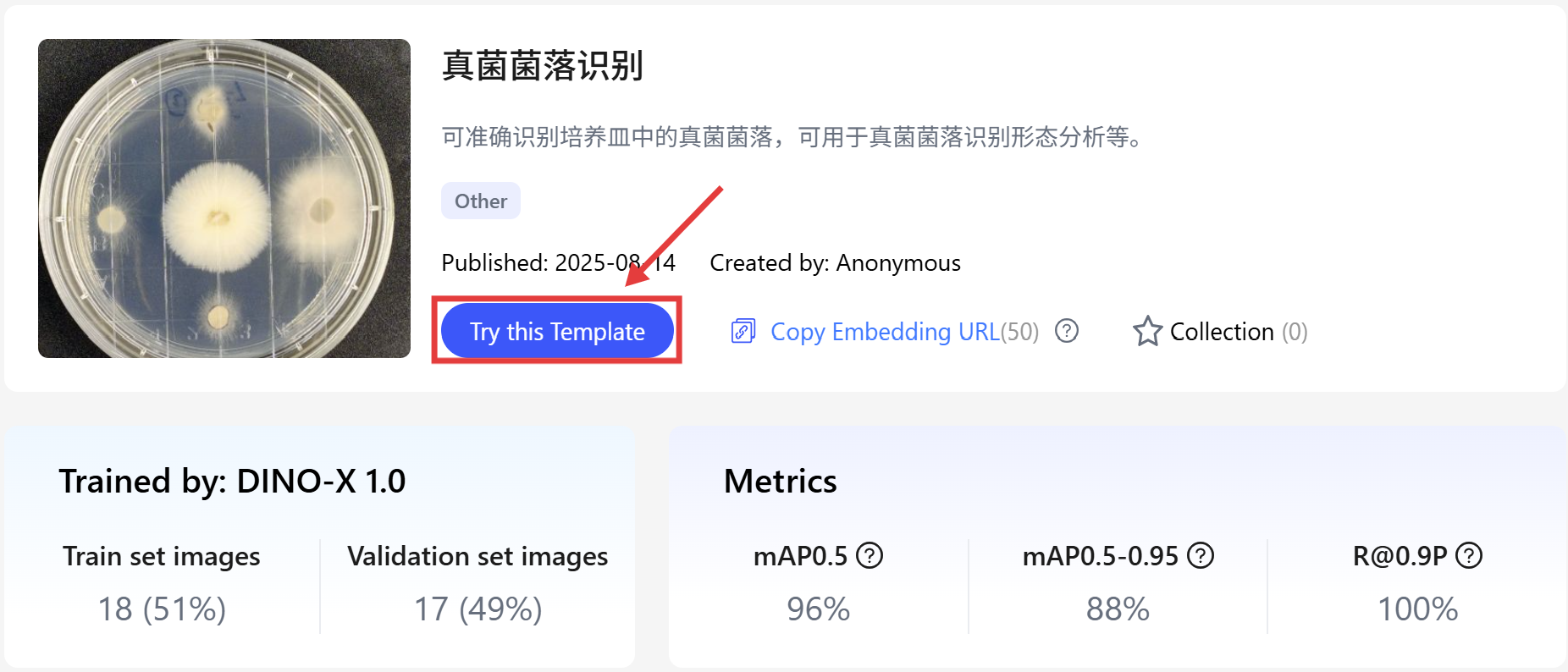
You can also click the entry in the bottom-right corner to sync the current test content and jump to the DINO-X Playground:

(b) Another way is to access DINO-X Playground directly, select "Custom Template Prompt" in the lower left corner, and upload an image.
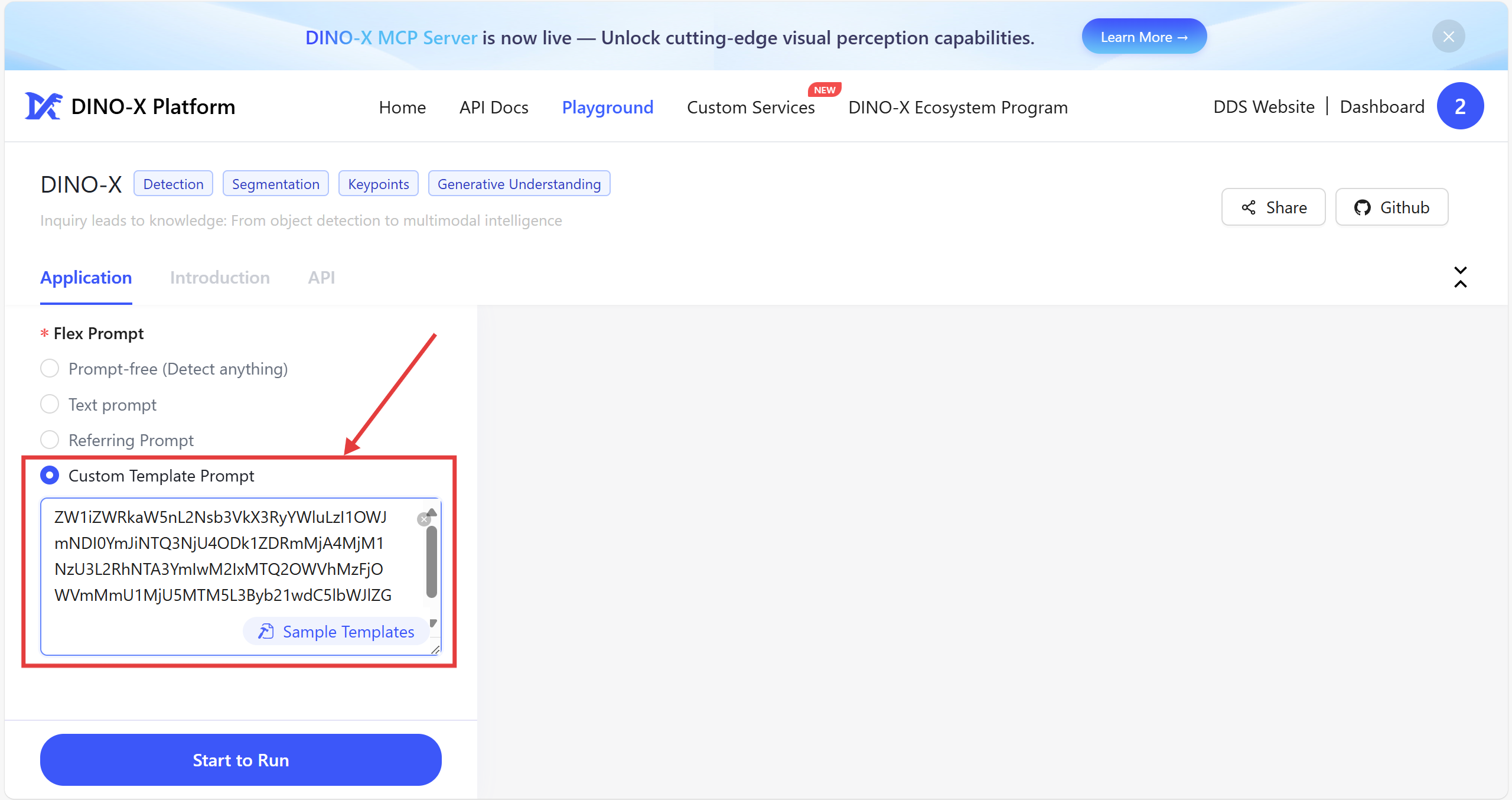
Below, we use the template test interface as an example to demonstrate the performance of some custom templates.
1.Fungal Colony Recognition
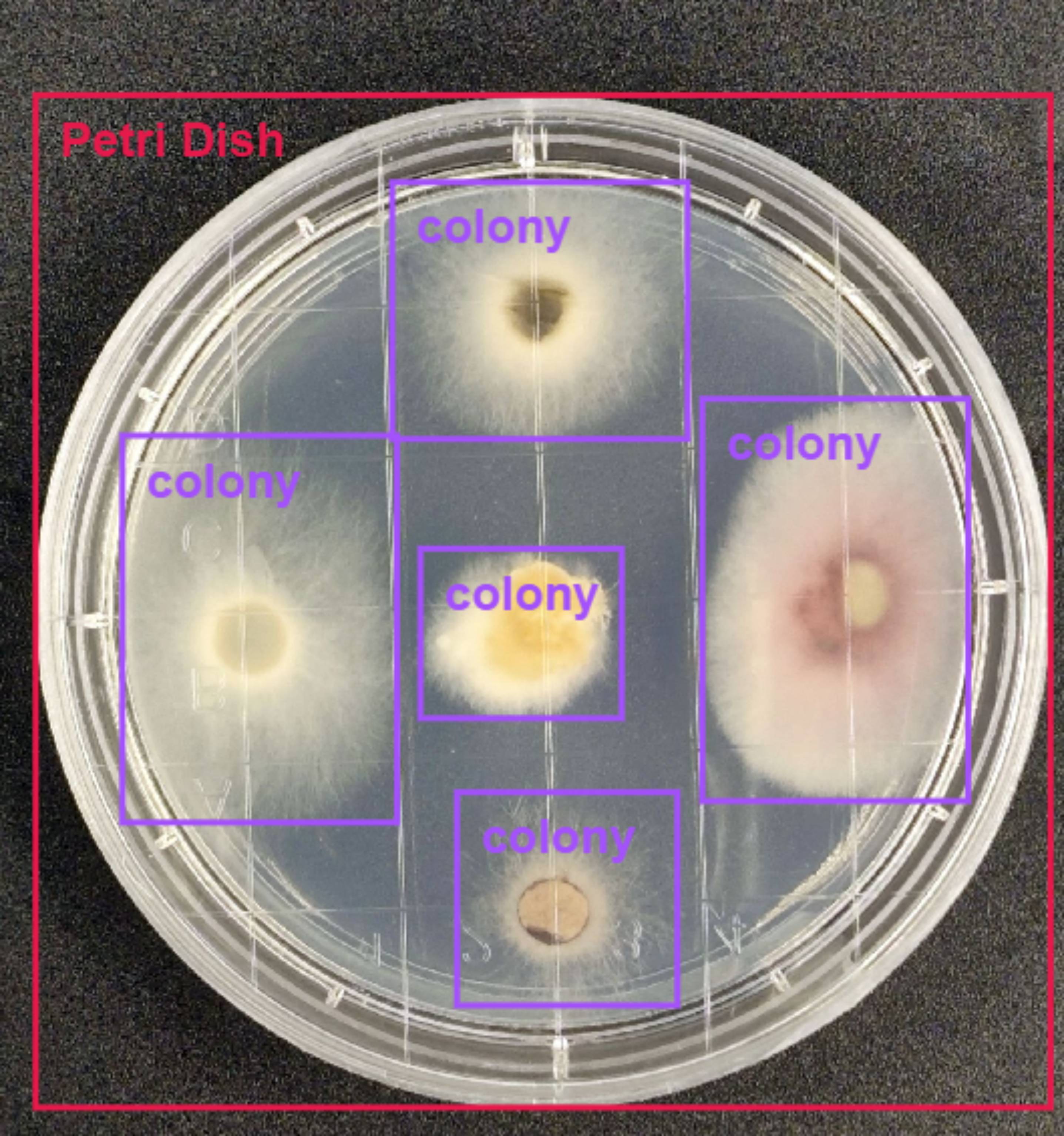
Template Introduction: This template focuses on microbial research scenarios, enabling accurate recognition of fungal colonies in petri dishes - including individual colonies of different morphologies and sizes. It provides efficient support for laboratories in colony morphology analysis, growth rate monitoring, and strain classification, and is particularly suitable for automated recording and data analysis in microbial experiments.

Test Results: As shown in the image, the template not only accurately identifies the boundaries of the petri dish but also precisely locates all fungal colonies within it and completes the count.
2.Tablet Recognition
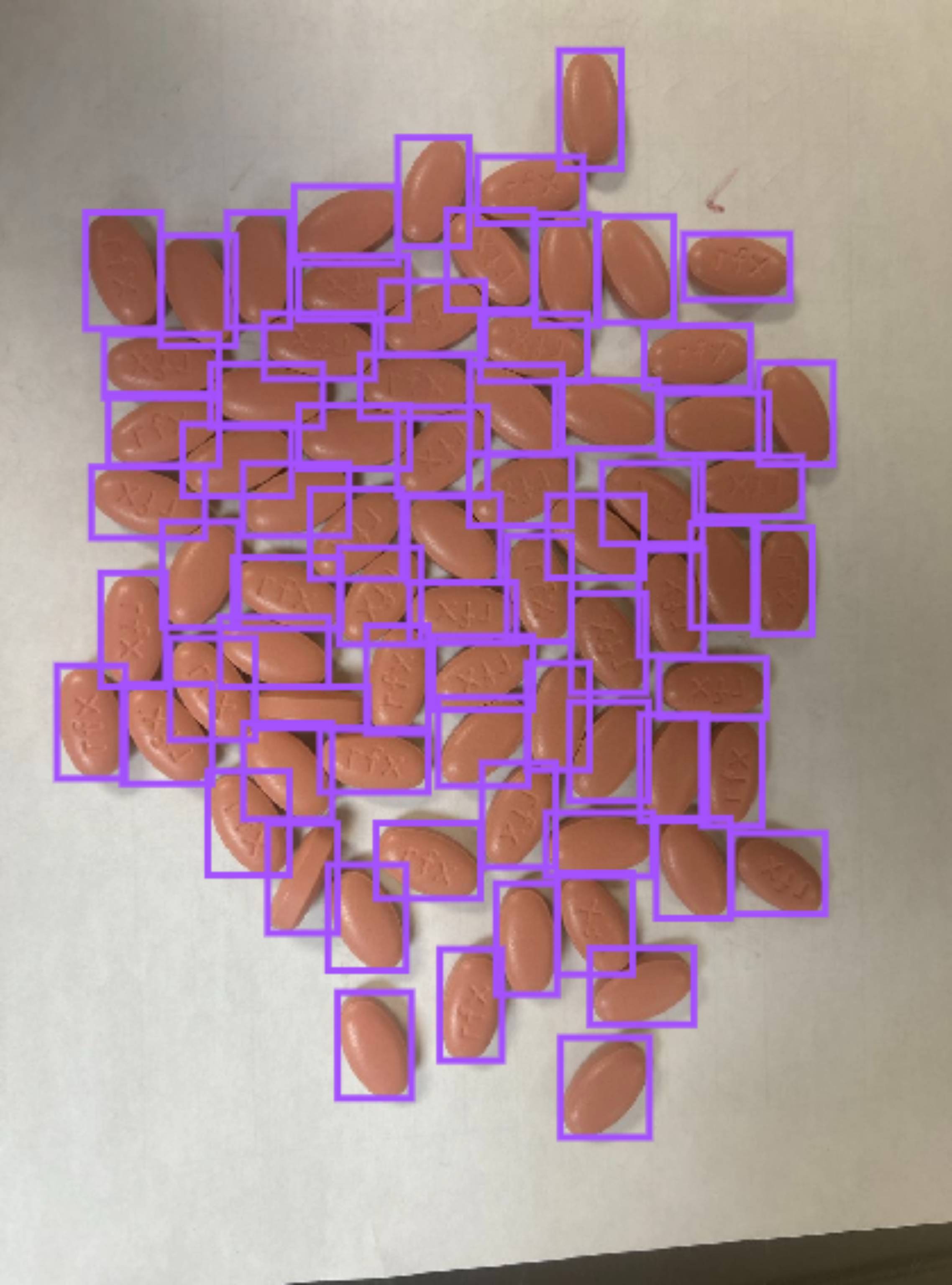
Template Introduction: Designed for pharmaceutical production and sorting processes, this template automatically identifies and accurately counts tablets. It significantly improves the quality inspection efficiency of pharmaceutical enterprises and reduces the risk of errors caused by manual counting.

Test Results: As shown in the image, even in scenarios where tablets are densely stacked with slight overlaps, the template still can clearly outline the boundary of each tablet.
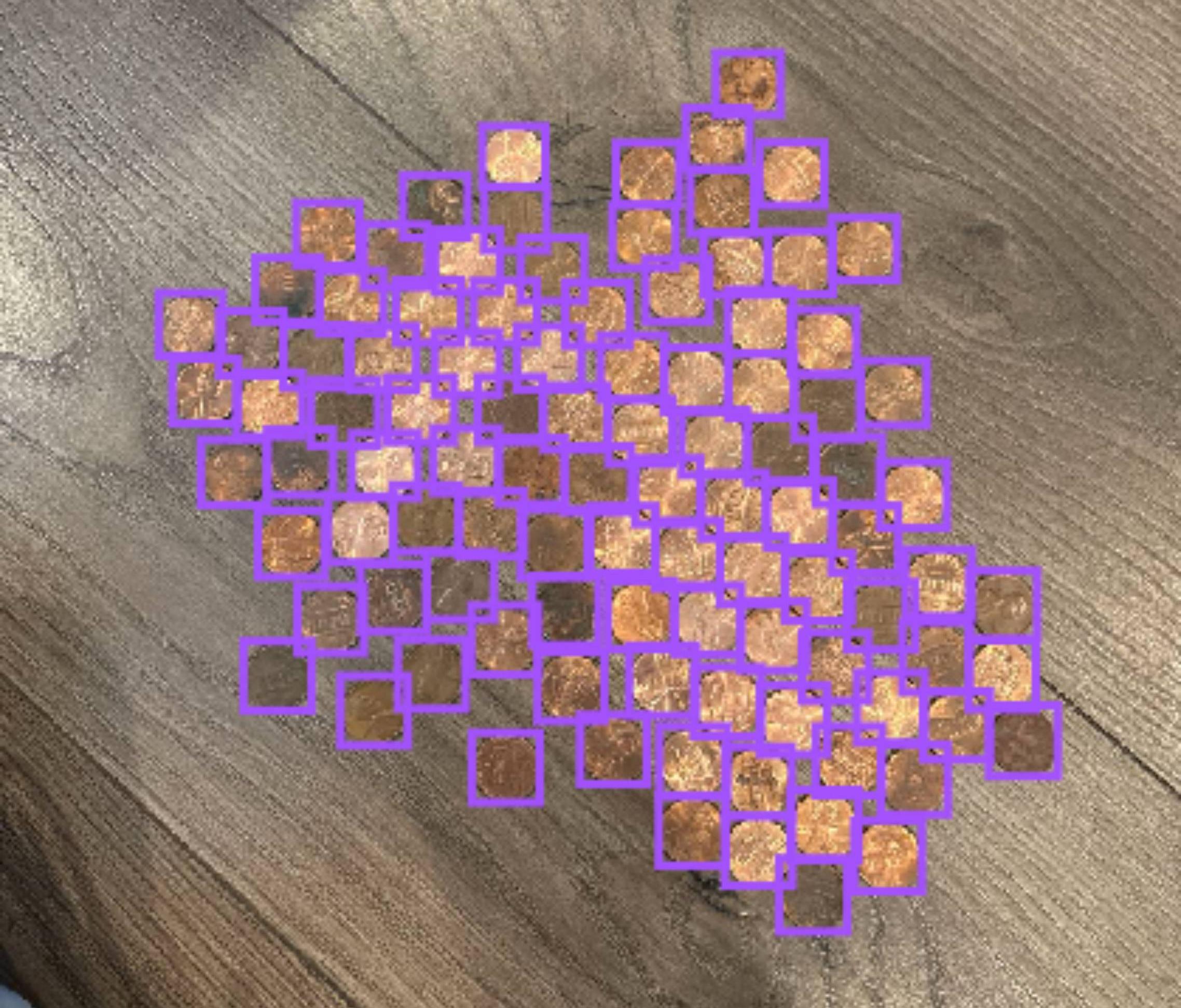
3.Coin Recognition
Template Introduction: This template is primarily designed to address coin processing needs in financial and retail scenarios. It supports rapid recognition, classification, and counting of multi-currency coins, and can be integrated into automatic coin sorters, vending machine restocking systems, or retail checkout devices. This significantly reduces manual coin-counting time and improves the efficiency of capital flow.

Test Results: As shown in the image, even in scenarios where coins are mixed and stacked, the template still accurately identifies the boundaries of the coins and their exact quantity.
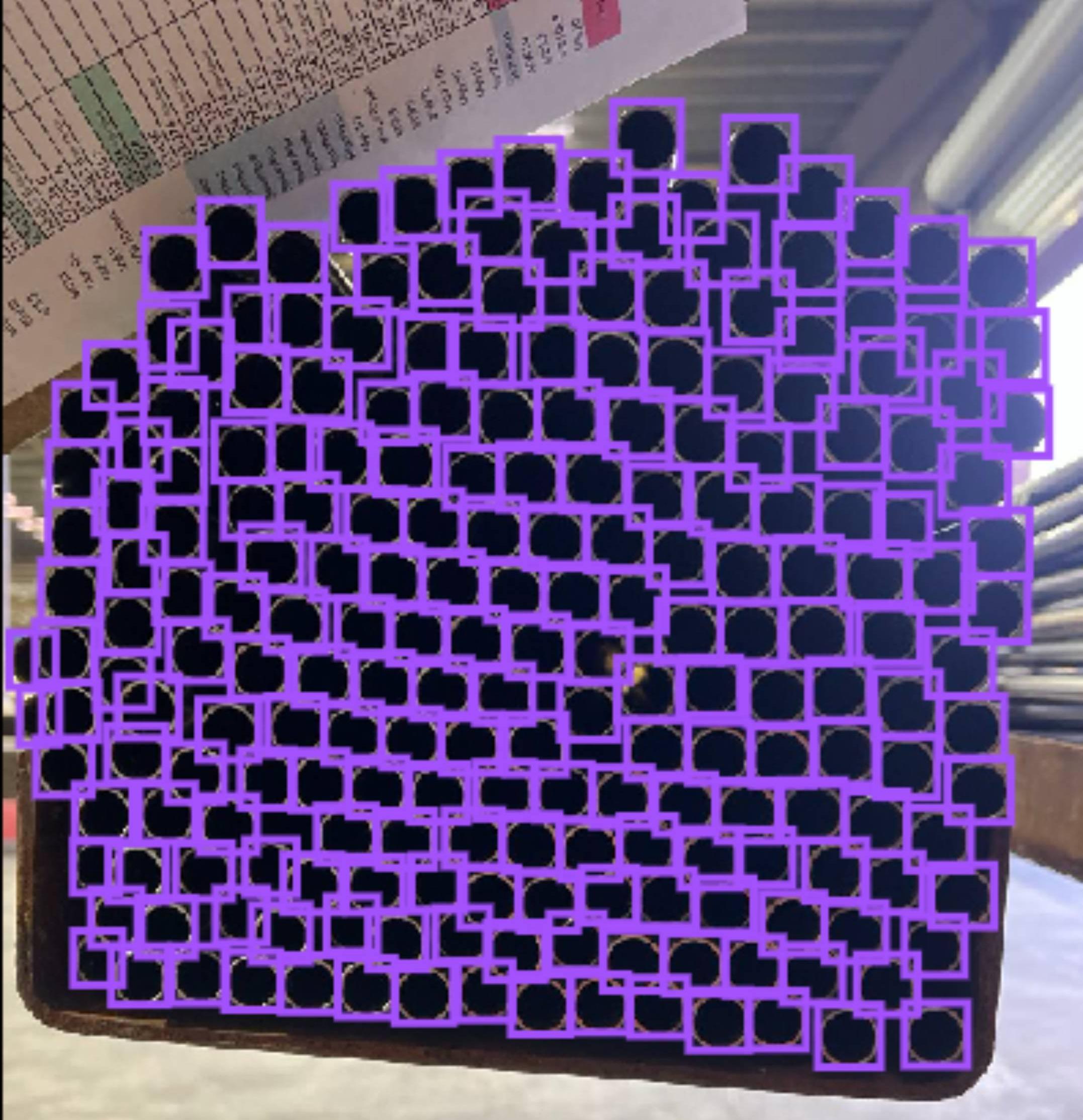
4.Rebar Recognition
Template Introduction: Suitable for material management at construction sites and inventory checking of steel warehouses, this template automatically identifies individual rebar ends in rebar piles through images. It accurately counts the number of rebars and records their distribution, helping construction teams manage building material inventory efficiently while providing data support for construction progress monitoring.

Test Results: As shown in the image, even when rebars are stacked chaotically with uneven ends, the template can clearly distinguish individual rebars, effectively solving the pain point of time-consuming and labor-intensive manual inventory checks.

5.Steel Pipe Recognition
Template Introduction: Primarily targeting industrial pipe production and warehousing, this template automatically identifies and accurately counts steel pipes. It adapts to inventory checking needs under different lighting conditions and stacking methods, reducing manual intervention and lowering warehouse management costs.

Test Results: As shown in the image, even in low-light scenarios with pipe-like interference objects, the template can accurately lock onto steel pipe targets, eliminate interference, and complete the count.
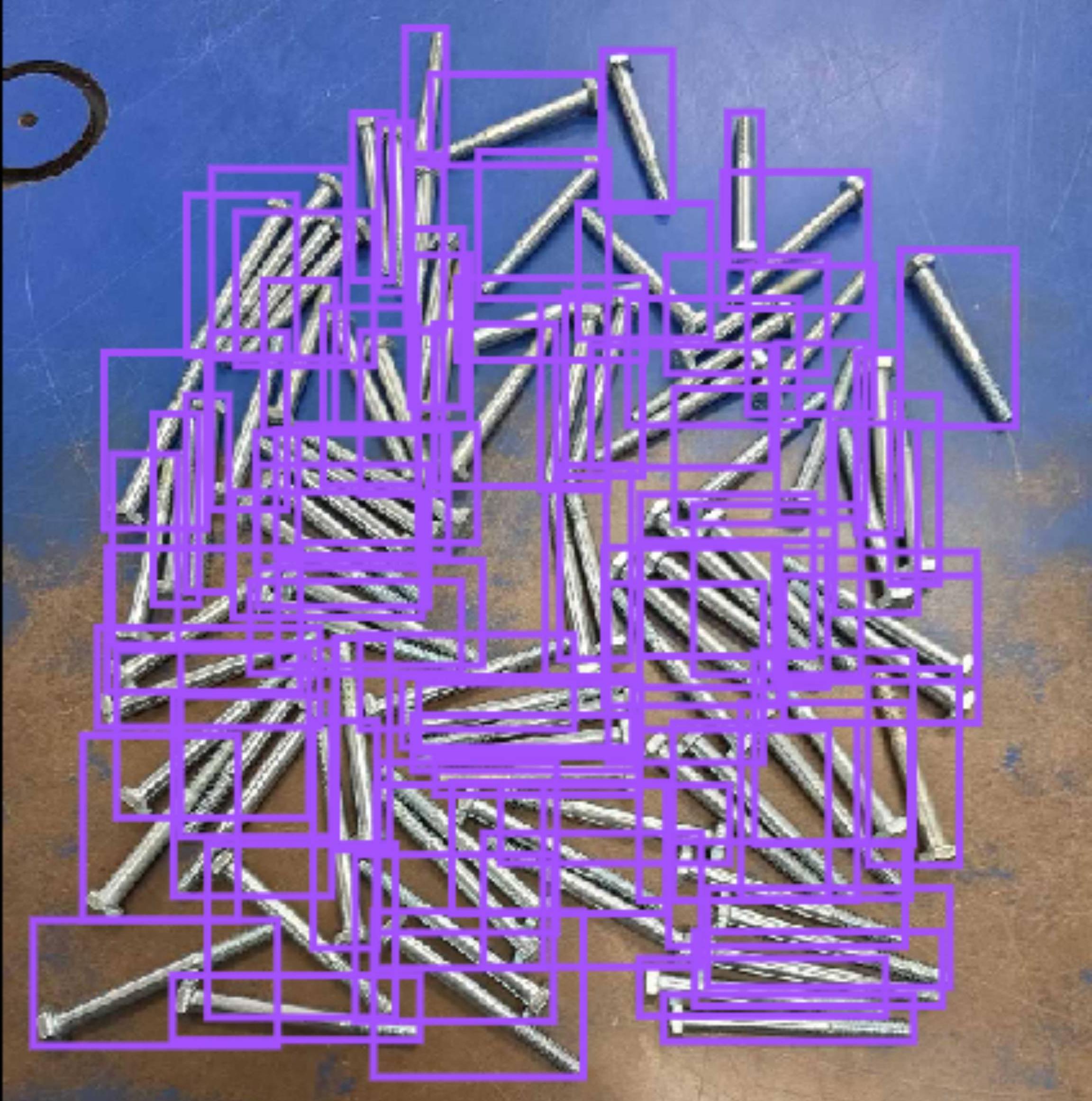
6.Bolt Recognition
Template Introduction: Focusing on industrial assembly lines and hardware warehousing scenarios, this template accurately identifies small fasteners such as bolts and screws. It ensures that production materials are delivered as needed, avoiding shortages or surpluses during the assembly process.

Test Results: As shown in the image, even in scenarios where bolts are placed chaotically and densely, the template can still accurately recognize and locate each bolt.
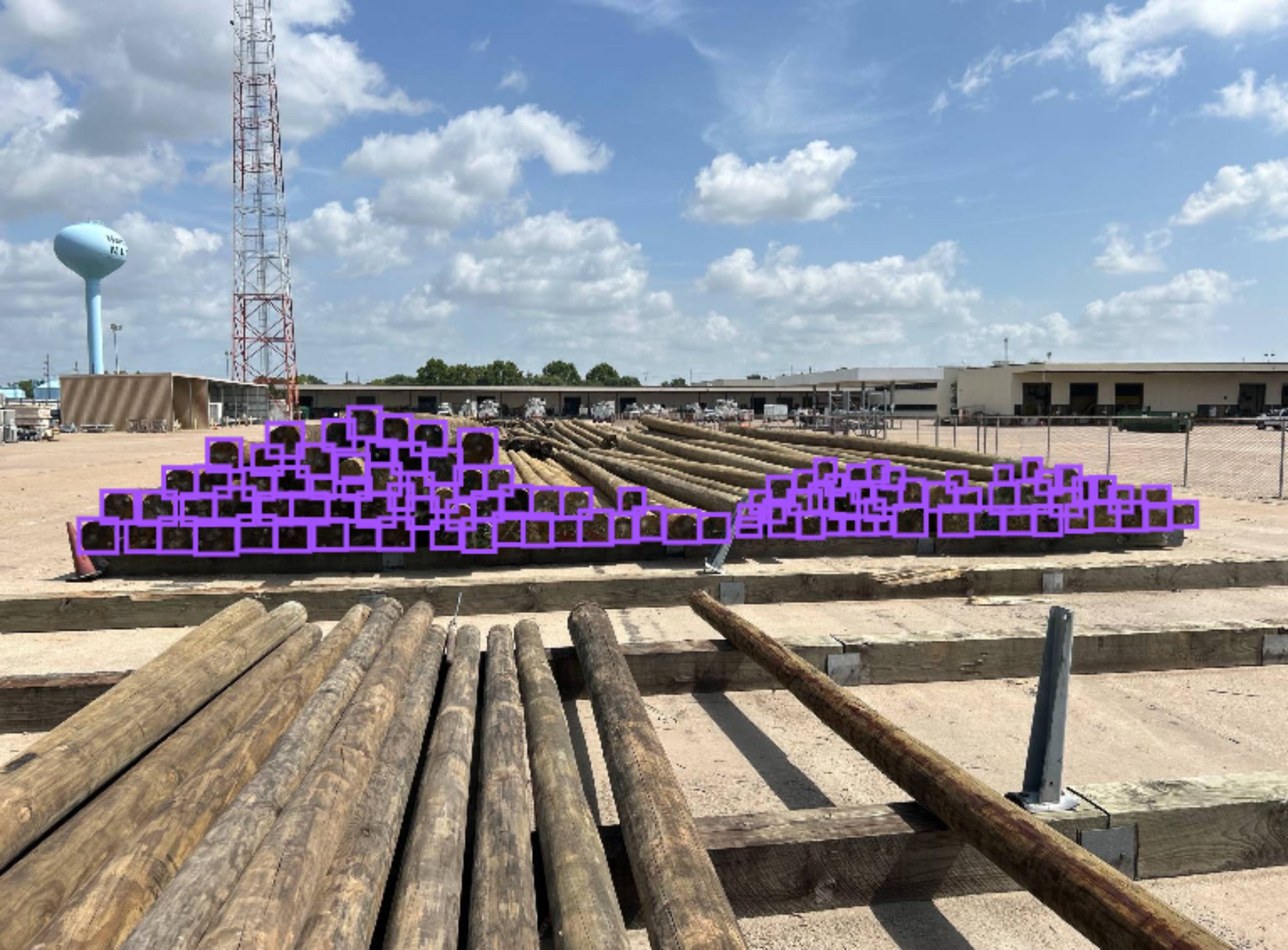
7.Log Recognition
Template Introduction: This template is mainly applicable to wood processing, warehousing, and logistics and transportation scenarios. It identifies individual logs in log piles through images, helping wood enterprises manage inventory efficiently, optimize transportation scheduling, and reduces errors and costs caused by manual inventory checks.

Test Results: As shown in the image, the custom template can accurately distinguish target logs from interference objects in the background, only recognizing and counting valid logs while eliminating the interference of irrelevant factors.
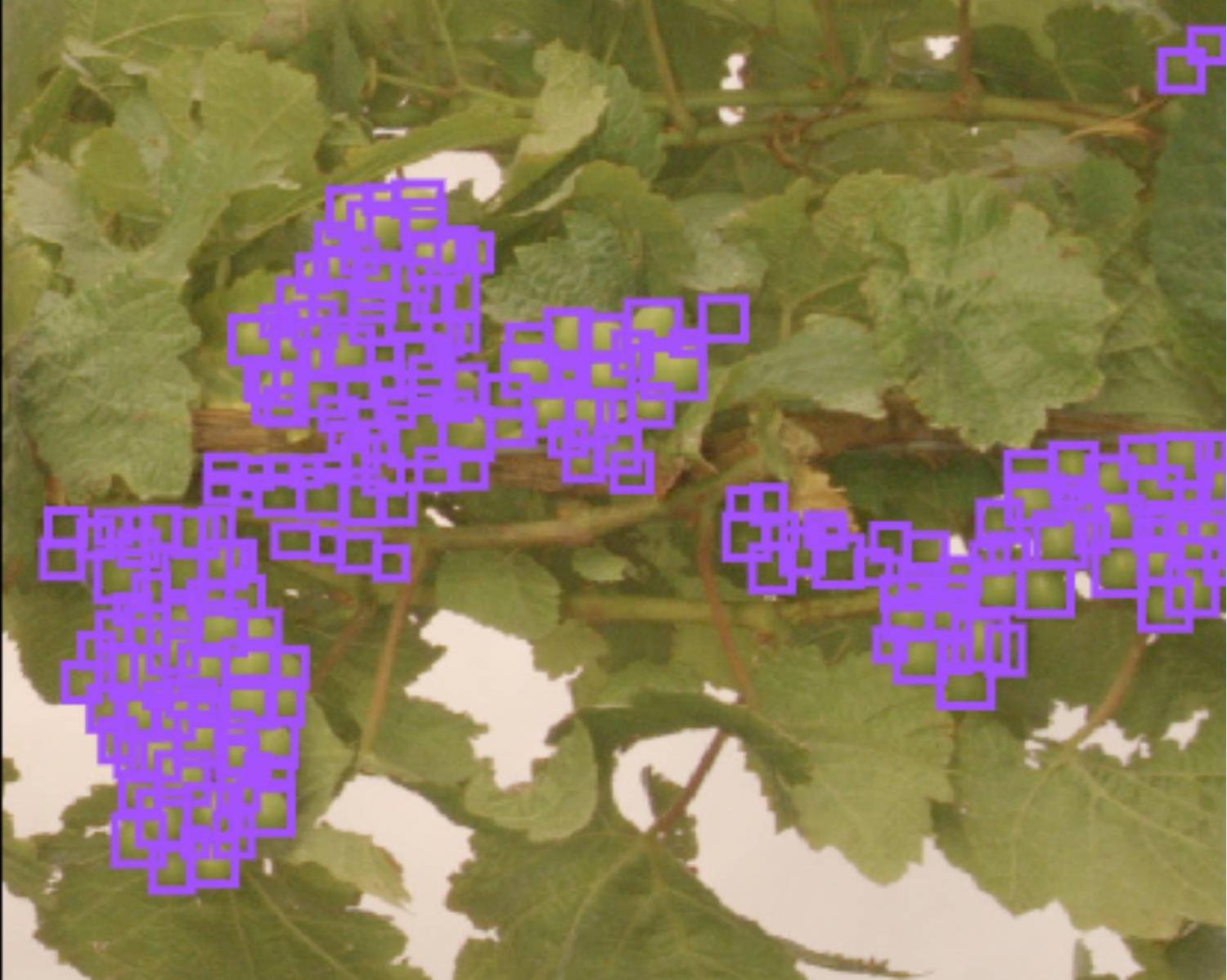
8.Grape Recognition
Template Introduction: This template targets orchard cultivation and agricultural product traceability scenarios, enabling accurate recognition of individual grapes on grapevines.

Test Results: As shown in the image, even when green grapes are similar in color to green leaves and obscured by branches and leaves, the template can eliminate background interference and accurately detect each grape, providing a reliable tool for precision agriculture management.
9.Geometric Shape Recognition
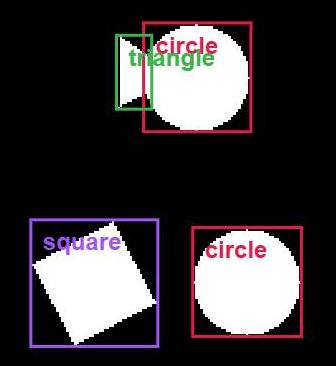
Template Introduction: Used in education, industrial design, and other scenarios, this template accurately recognizes basic geometric shapes (triangles, squares, circles) in images. It supports the decomposition and classification of composite shapes, providing visual assistance for children’s geometric cognition teaching and shape verification of industrial parts (such as the edge shapes of mechanical components).

Test Results: As shown in the image, when faced with complex patterns composed of overlapping shapes, the template can not only recognize individual basic shapes but also accurately mark their positions in the composite pattern.
10. Drowning Person Recognition
Template Introduction: Focusing on water rescue and swimming pool safety management scenarios, this template accurately recognizes people in water (swimming pools, rivers, oceans, etc.), monitors their positions and quantities in real time. It assists rescuers in quickly locating drowning individuals or provides data support for swimming pool passenger flow control, improving safety management efficiency.

Test Results: As shown in the image, the template can accurately locate the positions of people in water and count their numbers, whether in calm swimming pools, turbulent rivers, or wavy seas.

From the above cases, it is evident that custom templates demonstrate accurate and stable detection and recognition performance in long-tail scenarios that general models cannot address. Furthermore, under a single scene template, custom templates can simultaneously and accurately distinguish and locate different sub-categories (e.g., locating both "petri dishes" and "colonies", or recognizing "triangles", "squares", and "circles" at the same time). This feature endows custom templates with greater flexibility: compared with pre-trained models that can only recognize a single type of object, custom templates can cover more diverse object categories in the same scenario. This provides more comprehensive technical support for complex business scenarios and unlocks greater potential for the application of AI visual recognition in vertical fields.
Reference Resources
DINO-X Template Marketplace: https://cloud.deepdataspace.com/custom/market